Monday, May 29, 2023

BeautifulSoap

 BeautifulSoap Library in Python

    The Beautiful Soup library is a popular Python library used for web scraping and parsing HTML or XML documents. It provides a convenient way to extract data from web pages by navigating the parsed document tree and searching for specific elements or patterns.

    To use Beautiful Soup, you'll first need to install it. You can do this using pip, the Python package manager, by running the following command:

pip install beautifulsoup4

    Once installed, you can import Beautiful Soup into your Python script or interactive session using the following import statement:

from bs4 import BeautifulSoup



Example :-
from bs4 import BeautifulSoup

# HTML document
html_doc = '''
<html>
<head>
    <title>Example</title>
</head>
<body>
    <h1>Heading</h1>
    <p class="content">Paragraph 1</p>
    <p>Paragraph 2</p>
</body>
</html>
'''

# Create a BeautifulSoup object
soup = BeautifulSoup(html_doc, 'html.parser')

# Extract specific elements
title = soup.title
heading = soup.h1
paragraphs = soup.find_all('p')

# Print the extracted data
print("Title:", title.string)
print("Heading:", heading.string)
print("Paragraphs:")
for p in paragraphs:
    print(p.string)

Output :-


    In the above example, we create a BeautifulSoup object by passing the HTML document and the parser type ('html.parser') to the constructor. We can then use various methods and attributes provided by Beautiful Soup to navigate and extract data from the parsed document.
    In this case, we extract the title element using soup.title and the heading element using soup.h1. We also find all the <p> elements using soup.find_all('p'). The extracted data can be accessed through the string attribute of each element.

Beautiful Soup also provides a wide range of methods and features for searching, filtering, and manipulating the parsed document tree. 

Sunday, May 28, 2023

Concept Of Encapsulation

 ENCAPSULATION

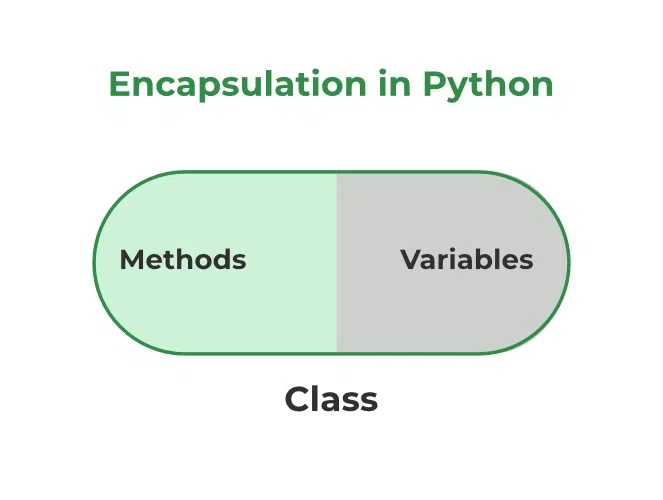
    Encapsulation is one of the fundamental concepts in object-oriented programming (OOP). It describes the idea of wrapping data and the methods that work on data within one unit. This puts restrictions on accessing variables and methods directly and can prevent the accidental modification of data. To prevent accidental change, an object’s variable can only be changed by an object’s method. Those types of variables are known as private variables.
    Encapsulation also helps in achieving modularity and code maintainability. Since the internal implementation details are hidden, changes to the internal representation of an object can be made without affecting the code that uses the object. This allows for easier updates and modifications to the codebase, as the external code only relies on the public interface of the object.
    In many programming languages, encapsulation is implemented using access modifiers such as public, private, and protected. These modifiers control the visibility and accessibility of class members (variables and methods). Private members are only accessible within the class itself, while public members can be accessed from any code that has a reference to the object.
    A class is an example of encapsulation as it encapsulates all the data that is member functions, variables, etc. The goal of information hiding is to ensure that an object’s state is always valid by controlling access to attributes that are hidden from the outside world.

Note: The __init__ method is a constructor and runs as soon as an object of a class is instantiated.  


Example :-

class bank_account:
def __init__(self):
self.balance = 0
self.name = ''

def welcome(self):
self.name = input('Welcome to your Bank Account. Please Enter your name : ')
        
    # #balance check
def get_balance(self):
print('Your Current balance : {}'.format(self.balance))
        
    #deposit amount
def deposit(self):
self.balance += float(input('Hello {}, please enter amount to deposit : '.format(self.name)))
self.get_balance()
        
    ##withdraw amount
def withdraw(self):
amount_to_withdraw = float(input('Enter amount to withdraw : '))
if amount_to_withdraw > self.balance:
print('You Have Insufficient Balance !!')
else:
self.balance -= amount_to_withdraw
self.get_balance()


if __name__=="__main__":
bank_account = bank_account()
bank_account.welcome()

while True:
input_value = int(input('Enter 1 to see your balance,\n2 to deposit \n3 to withdraw\n'))

if input_value == 1:
bank_account.get_balance()
elif input_value == 2:
bank_account.deposit()
elif input_value == 3:
bank_account.withdraw()
else:
print('Please enter a valid input.')
        

OUTPUT :-


Friday, May 26, 2023

SQL and NoSQL databases

  Concept Of  SQL and NoSQL databases.


    A database is information that is set up for easy access, management and updating. Computer databases typically store aggregations of data records or files that contain information, such as sales transactions, customer data, financials and product information.
    Databases are used for storing, maintaining and accessing any sort of data. They collect information on people, places or things. That information is gathered in one place so that it can be observed and analyzed. Databases can be thought of as an organized collection of information.


SQL :-
  • RELATIONAL DATABASE MANAGEMENT SYSTEM (RDBMS)
  • These databases have fixed or static or predefined schema
  • These databases are not suited for hierarchical data storage.
  • These databases are best suited for complex queries
  • Vertically Scalable
  • Follows ACID property
  • Examples: MySQL, PostgreSQL, Oracle, MS-SQL Server, etc.

NoSQL :-
  • Non-relational or distributed database system.
  • They have dynamic schema
  • These databases are best suited for hierarchical data storage.
  • These databases are not so good for complex queries
  • Horizontally scalable
  • Follows CAP(consistency, availability, partition tolerance)
  • Examples: MongoDB, GraphQL, HBase, Neo4j, Cassandra, etc.

Order Of Execution Of Clauses

  1. FROM - Tables are joined to get the base data.
  2. WHERE - The base data is filtered.
  3. GROUP BY - The filtered base data is grouped.
  4. HAVING - The grouped base data is filtered.
  5. SELECT - The final data is returned.
  6. ORDER BY - The final data is sorted.
  7. LIMIT - The returned data is limited to row count.

Multiprocessing

What is Multiprocessing?  Multiprocessing refers to the ability of a system to support more than one processor at the same time. Application...

Popular